|
|
|
Categories
|
|
Information
|
|
Featured Product
|
|
|
 |
|
|
There are currently no product reviews.
 ;
A great manual; it contained all the information I required and allowed me to restore the receiver to full working condition!
;
Very good expirience with owner-manuals.com.
5 Stars; In future if necessary, i´ll download manuals on this site.
;
Hi - happy with what I received but not quite what I wanted - my fault I assumed that service manual would also include operational instructions which is what I needed - all I needed to know was how to turn the radio - thanks
;
this Manual very important when i buy this Manual i already fix the trouble of my Camera..... thanks keep up the good work.!
 ;
This service manual helped me to repair my PIONEER. Iam very satisfied, that I found it here.
Even the price of manual was not so high that person would not be able to spend a few money.
But that is very worth spent money. Thanks
SECTION 1 GENERAL
This section is extracted from instruction manual.
Location of controls
Setting the clock
The clock uses a 12-hour digital indication. Example: To set the clock to 10:08
1
DIR
D I SC +
Press (MENU), then press either side of (PRST/DISC) repeatedly until �CLOCK� appears.
-P R
S
DSPL
T +
D-BASS
MENU SOURCE SOUND
P RS
RELEASE
MODE
-SEEK/AMS
ENTER
T-
1 Press (ENTER).
REP SHUF
-
D IS C �
1
2
3
4
5
6
OFF
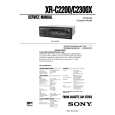
XR-C2200/XR-C2300X
The hour indication flashes.
2 Press either side of (PRST/DISC) to set the hour. Refer to the pages listed for details. 1 MENU button 7, 9, 10, 11, 13 2 Volume control dial 3 SOURCE (TUNER/CD/MD) button 9, 10, 12 4 PRST/DISC +/� (cursor up/down) buttons 7, 9, 10, 11, 13 During radio reception: Preset stations select 10 During CD/MD playback: Disc change 13 5 DSPL (display mode change) button 8, 12, 13 6 MODE button During radio reception: BAND select 9, 10 During CD or MD playback: CD/MD unit select 12 7 Z (eject) button 8 8 Display window 9 m/M(fast winding)/DIR (tape transport direction change) buttons 8 0 D-BASS button 12 * Warning when installing in a car without ACC (accessory) position on the ignition key switch Be sure to press (OFF) on the unit for two seconds to turn off the clock display after turning off the engine. When you press (OFF) momentarily, the clock display does not turn off and this causes battery wear. qa SOUND button 11 qs RELEASE (front panel release) button 6, 15 qd SEEK/AMS �/+ (cursor left/right) buttons 7, 9, 10, 11, 13 seek 10 Automatic Music Sensor 13 manual search 13 qf Reset button (located on the front side of the unit behind the front panel) 6 qg ENTER button 7, 9, 10, 11, 13 qh Number buttons During radio reception Preset number select 10 During CD/MD playback: (1) REP 14 (2) SHUF 14 qj OFF button* 6 3 Press + side of (SEEK/AMS).
The minute indication flashes.
4 Press either side of (PRST/DISC) to set the minute.
2
Press (ENTER).
The clock starts.
After the clock setting is complete, the display returns to normal playback mode.
3
|
|
|
> |
|