Shopping cart is empty
 
English Polski Spanish 
Search For a Manual
 

(e.g. AA-V20EG JVC, ZX-7 Sony )
PayPal 1000+ rating Secure, Encrypted Checkout.
 
Categories
Information
Featured Product
Home >> SONY >> XRCA400 Service Manual
 
 0 item(s) in your cart 

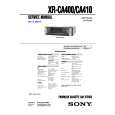
SONY XRCA400
Service Manual


Tweet about this product and get $1.00 of store credit for instant use!
  • Contains Circuit Diagrams
  • Download
  • PDF Format
  • Complete manual
  • Language: English
Price: $4.99

Description of SONY XRCA400 Service Manual

Complete service manual in digital format (PDF File). Service manuals usually contains circuit diagrams, printed circuit boards, repair tips, wiring diagrams, block diagrams and parts list. Service Manual ( sometimes called Repair Manual ) is used mainly by technicians.

If You just want to know how to use Your tv, video, mp3 player etc. You should look for Owner's Manual. After placing order we'll send You download instructions on Your email address.

The manual is available in languages: English

Not yet ready
You must purchase it first

Customer Reviews
There are currently no product reviews.
Other Reviews
 PL-400X PIONEER Service Manual by Ivica Jovanovic;
Exactly what was needed to assess the product - excellent value and great service
 DCRTRV345E SONY Service Manual by Wil Wempe;
Nice to have the service manual for the Sony DCR-TRV345E now. The document is of excellent quality.
 HR824 MACKIE Service Manual by Pascal BONY;
MACKIE HR824 26 pages English-only Service Manual contains: 1) HR824 technical overview with the description of front and rear panel switches. 2) HR824 specs 3) Block Diagram 4) Wiring Diagram 5) Packaging management 6) Spare part & final assembly list (for PCB rev A and B) + exploded view 7) Test Procedures (where, how to measure voltage...) including Test Point diagram on the PCB. 8) IC and Transistor charts. Excellent guide: very clear, good scan quality enabling us to print readable diagram :-) Note: Mackie HR824 make extensive use of surface mount devices (SMD). Service on the HR824 must only be undertaken by experienced service technicians with the right tools, experience and patience to perform surface mount rework when needed.
 CCD600 GRUNDIG Service Manual by Jari Väisänen;
This Service manual is very well scanned and its clean to read, no any anti-theft words that un-english could understand. I got my CCD600 working with this manual and it´s clear shematics :)
 HTD550 AIWA Service Manual by Dennis L Thorne;
I was very pleased with the service provided and was surprised at how good the quality was of the manual. I thought it may be a third generation copy or so, but it is as good as the websites that charge 3 times this much. I repair some electronics for family and friends without charge, so this is perfect for me. Thank you very much.

Text excerpt from page 6 (click to view)
Attaching the front panel

Getting Started
Resetting the unit
Before operating the unit for the first time or after replacing the car battery, you must reset the unit. Remove the front panel and press the RESET button with a pointed object, such as a ballpoint pen.

Attach part A of the front panel to part B of the unit as illustrated and push the left side into position until it clicks.

A B

RESET button Note Pressing the RESET button will erase the clock setting and some memorized functions.

Detaching the front panel
You can detach the front panel of this unit to protect the unit from being stolen.

Notes � Be sure not to attach the front panel upside down. � Do not press the front panel too hard against the unit when attaching it. � Do not press too hard or put excessive pressure on the display window of the front panel. � Do not expose the front panel to direct sunlight or heat sources such as hot air ducts, and do not leave it in a humid place. Never leave it on the dashboard of a car parked in direct sunlight or where there may be a considerable rise in temperature.

Caution alarm
If you turn the car ignition off without removing the front panel, the caution alarm will beep for a few seconds. If you connect an optional power amplifier and do not use the built-in amplifier, the beep sound will be deactivated.

1 2

Press (OFF) . Press (RELEASE) then slide the front , panel a little to the left, and pull it off towards you.
(OFF)

(RELEASE) Notes � Be sure not to drop the panel when detaching it from the unit. � If you detach the panel while the unit is still turned on, the power will turn off automatically to prevent the speakers from being damaged. � When carrying the front panel with you, use the supplied front panel case.

6

You might also want to buy

$4.99

XR-CA400 SONY
Owner's Manual

Complete owner's manual in digital format. The manual will be available for download as PDF file aft…
>
Parse Time: 0.663 - Number of Queries: 102 - Query Time: 0.315