|
|
|
Categories
|
|
Information
|
|
Featured Product
|
|
|
 |
|
|
There are currently no product reviews.
 ;
Excellent!!
Got what I need and very fast!!
Thank You
;
One address for rare manuals.Very good copy. Thank you.
Your
Klaus Husse
;
All ok. I pay 5 $ and now i have 92 pages of good scaned service manual for my oooooold akai. Now i will try to repair it.
;
good and ok, very nice , good and ok, very nice, good and ok, very nice
;
Super manual it contains all the things you need to service your Marantz 2100.
ELECTRICAL ADJUSTMENT -2/5
5. DC Balance Check Requirement Measuring equipment: Digital multi-meter Test point: TP2, 3 1) Adjust the reception frequency of the main unit to 98.0MHz. 2) Check that the test point voltage difference between TP4 and TP5 is 0mV±500mV.
DIGITAL MULTIMETER V VT GND
<LW / MW ADJUSTMENT> For LW / MW adjustment, do wiring and connection as in the following.
60cm
Standerd Signal Generaor
SET TP Lch Rch GND
Connect to the respective measuring equipment
6. IF Adjustment (MW) Requirement Measuring equipment: Oscilloscope or Millivoltmeter Test point: TP8(Lch), TP9(Rch), GND Adjustment point: L802 1) Adjust the setting of Standard Signal Generator (hereinafter S.S.G.) to 999KHz of 30% variation. 2) Adjust the receiving frequency of the main unit at 999KHz. 3) While looking at the waveform on the oscilloscope, reduce the output level all the way (till a certain degree of is monitored through the oscilloscope). 4) Adjust L802 until the waveform of the oscilloscope reaches the maximum. 7. Tracking Adjustment (MW) Requirement Measuring equipment: Millivoltmeter Test point: TP8(Lch), TP9(Rch), GND Adjustment point: L952, L953 1) Adjust the S.S.G. setting to 999KHz of 30% variation and reduce the output level all the way (till a certain degree of is monitored through the oscilloscope). 2) Adjust the reception frequency of the main unit to 999KHz. 3) Adjust L952 until the value of the millivoltmeter reaches the maximum. 4) Adjust the S.S.G. setting to 603KHz of 30% variation and reduce the output level all the way (till a certain degree of is monitored through the oscilloscope). 5) Adjust the reception frequency of the main unit to 603KHz. 6) Adjust L953 until the value of the milivoltmeter reaches the maximum. 7) Repeat the adjustment 2 or 3 times from step 1 to 6 above.
OSCILLOSCOPE
CH1
CH2
GND
Lch Rch GND
AC MILLIVOLTMETER
TP8
GND
CH1
CH2
GND
TP9
-57-
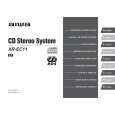 $4.99 XREC11 AIWA
Owner's Manual Complete owner's manual in digital format. The manual will be available for download as PDF file aft…
|
|
|
> |
|