|
|
|
Categories
|
|
Information
|
|
Featured Product
|
|
|
 |
|
|
There are currently no product reviews.
 ;
Very clear scan, I recommend it. Definitely a must have for any 3362 owner.
Alpine could have written a slightly more complete manual, though. It's already pretty huge, but the unit has so many functions, I feel some more explanation would have been better.
Yamaha's manual of their comparable YDSP-1 is a little better in my opinion.
;
Immediate response with excellent service - highly reccommended
;
Correct manual received and of good quality but the contents of the file for the Service Manual for the same monitor is for a 20" TV not the RGB Monitor.
;
The owners manual for the Pioneer VSX-D603S was exactly what I needed. I received it in a timely manor and it was priced fairly. I definately will use your servise again. Thank You
;
This is a great manual. It was easy to read and very accurate. The size of the manual is small so email is no problem. I highly recommend it. The manual is very hard to find other than this website.
Selecting Preferences
7 Items
The following preferences can be set.
MENU LANGUAGE
You can select the default �DVD menu� language to be displayed if the disc contains it. Each time you press , the setting language changes as follows.
ENGLISH = SPANISH = FRENCH = CHINESE = GERMAN = ITALIAN = JAPANESE = language code from AA to ZU (see the appendix �Language Code Chart�) Pressing changes the setting language in the reverse order of the above.
* If the selected language is not played, the disc�s default menu language is displayed.
AUDIO LANGUAGE
Up to eight audio languages can be recorded in a DVD disc. You can select the default audio language to be played if the disc contains it. Each time you press , the setting language changes as follows.
ENGLISH = SPANISH = FRENCH = CHINESE = GERMAN = ITALIAN = JAPANESE = language code from AA to ZU (see the appendix �Language Code Chart�) Pressing changes the setting language in the reverse order of the above.
* If the selected language is not recorded, the disc�s default audio language is reproduced.
SUBTITLE
Up to 32 subtitle languages can be recorded in a DVD disc. You can select the default subtitle language to be displayed if the disc contains it. Each time you press , the setting language changes as follows.
ENGLISH = SPANISH = FRENCH = CHINESE = GERMAN = ITALIAN = JAPANESE = language code from AA to ZU (see the appendix �Language Code Chart�) Pressing changes the setting language in the reverse order of the above.
* If the selected language is not recorded, the disc�s default subtitle language is displayed.
ON SCREEN GUIDE
The XV-1000BK can display �on screen guide� icons or characters on the picture, which show what is happening to the disc or the XV-1000BK. You can turn the guide display on or off.
47
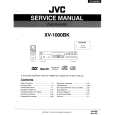 $4.99 XV1000BK JVC
Service Manual Complete service manual in digital format (PDF File). Service manuals usually contains circuit diagr…
|
|
|
> |
|