|
|
|
Categories
|
|
Information
|
|
Featured Product
|
|
|
 |
|
|
There are currently no product reviews.
 ;
Great quality complete service manual! complete parts list and drawings. Thanks!
;
Very good quality, prompt response. This website has reasonable prices and wide range of manuals that are hard to find.
;
The document was usefull, and it was exactly what I was looking for.
;
OK?..manual is complet and helpfull... for repairing such a old and rare boombox like JVC PCM it is necessary...
;
Super Anleitung. Ordentliche Auflösung. Das ganze noch in Deutsch wäre zu schön. Alle Datenblätter sind sauber Kopiert und alle Leitungswege sind sauber ausgeführt
XV-M565BK/M567GD
<DVD Changer Mechanism Assembly>
Prior to performing the following procedure, remove the top cover and the DVD changer mechanism assembly.
DVD changer mechanism assembly
Removing the traverse mechanism control board (See Fig.18)
1. Disconnect the card wire from connector CN101 on the traverse mechanism control board on the bottom of the DVD changer mechanism assembly. 2. Remove the screw L attaching the traverse mechanism control board. Release the three parts e, f and g and remove the traverse mechanism control board. 3. Disconnect the card wire from connector CN102 on the traverse mechanism control board.
Part e DVD traverse mechanism control board CN102
L
CN101
Ejecting the DVD (See Fig.19 and 20) When the DVD is set or the traverse mechanism is up.
The DVD tray can not be ejected when the traverse mechanism is up.
Part f
Fig.18
Part g
Bringing down the traverse mechanism as shown in the Fig.20
1. The motor pulley and the belt can be seen on the front side of the changer. Turn the motor pulley clockwise until the belt stops. 2. Pull the tray lock lever on the left side of the changer and draw the DVD tray. 3. Draw the DVD tray 1 to 3 as above. Fig.19
Belt Motor pulley
Draw the DVD tray. Traverse mechanism As the motor pulley is turned, the traverse mechanism lowers.
Tray stopper
Fig.20
Tray lock lever
1-11
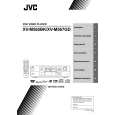 $4.99 XVM567GD JVC
Owner's Manual Complete owner's manual in digital format. The manual will be available for download as PDF file aft…
|
|
|
> |
|