|
|
|
Categories
|
|
Information
|
|
Featured Product
|
|
|
 |
|
|
There are currently no product reviews.
 ;
El producto satisface las necesidades del servicio t
;
This is a good quality scan of the Operation & Maintenance (Service) Manual for the PAL version of this high-band broadcast umatic, BVU-800P
All schematics and lineup procedures appear to be included in this one manual AFAICT.
The file size is just over 113 MB which gives an idea of the quality and number of pages.
All of the schematics, which contain some fairly small print, are easily readable when you zoom into the page.
John Thompson, Newcastle Upon Tyne, England.
;
Good quality, all schematics of few of models. There is also short form of user manual and regulation manual.
;
Perfect copy of the service manual. you can enlarge every page, and it comes up
with all details.
;
It´s very very nice manual with all, what i need. Original in good quality. Very fast business. Very much thanks...
XV-N5SL 4.6 Upgrading of firmware (1) The power supply is turned on pushing the "POWER" key. (2) The up-grade disc is inserted. (3) When LCD display of the main body changes from "READING" into "UPGRADE", cursor "UP" key ( is pushed. (4) The up-grade starts if the entire screen becomes blue and it is displayed, "Upgrade progress". (5) The tray opens automatically, the up-grade disc is removed. (6) The up-grade ends if the tray closes automatically, and the screen returns to the normal screen. (7) Please confirm the version of the microcomputer after makes to test mode and initializes. ) of remote controller
The disc for the up-grade is usually one piece. The disc becomes two pieces according to the version. In that case, please note the undermentioned content. *The up-grade is done by using the STEP1 disc according to "1)" and "4)" of the above-mentioned procedure. *The tray opens automatically after a few seconds and exchange for the disc of STEP2, please. * The tray closes automatically. There is only about five second time that the tray opens this time, and replace the disc quickly between those, please. ATTENTION � When the tray shuts with the STEP1 disc left for the tray The up-grade starts again and exchange for the STEP2 disc, please when the tray opens automatically. � When the tray closes with there no disc in the tray Because the tray opens automatically, the disc of STEP2 is put on the tray. The power supply is turned off once pushing the "POWER" key. The up-grade starts when the "POWER" key is pushed afterwards. * After the up-grade ends, the STEP2 disc is removed because the tray opens automatically. * Afterwards, it is the same as 6),7) of the above-mentioned procedures. 4.7 Display of region code (1) Makes to the stand-by state. (2) The "POWER" key is pushed while pushing the "BACK SKIP" key and the "FORWARD SKIP" key to the main body. (3) Region code is displayed on the LCD display as follows.
19
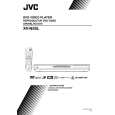 $4.99 XV-N5SL JVC
Owner's Manual Complete owner's manual in digital format. The manual will be available for download as PDF file aft…
|
|
|
> |
|