|
|
|
Categories
|
|
Information
|
|
Featured Product
|
|
|
 |
|
|
There are currently no product reviews.
 ;
Useful manual, good scan, worth the pay if you find the unit difficult to operate.
 ;
Exactly as described, the full user-manual (145 pages). Perfect.
Precautions for use
$ Since the output signals in the E-E mode are not synchronized with the reference signal when the digital video interface is selected as the video input, the picture and sound monitored may be disrupted. Do not use these output signals for recording. OHowever, there is no problem with the signals which are recorded on the tape. $ Before connecting or disconnecting the DV cable (IEEE1394), ensure that the AJHD1200A and all other devices to be connected are either grounded or connected to a common ground. If they cannot be grounded, turn off the power of all the equipment before proceeding. $ When connecting the AJ-HD1200A to a device with a 4pin type of DV connector, connect the connector (6-pin type) on the AJ-HD1200A first.
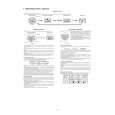
4-pin type 6-pin type
$ When connecting to a device with a 6-pin type of DV connector, check out the shape of the DV connector before connecting the DV cable. The AJ-HD1200A may be damaged if the plug is inserted the wrong way round. $ Connect the AJ-HD1200A with other devices on a 1:1 basis. $ When the E-92 error message (1394 INITIAL ERROR) appears, disconnect and re-connect the connecting cables or turn the VTR�s power off and then back on. $ The AV signals may be disrupted when the power of the connected devices is turned on or off or when the I/F cable is connected or disconnected. $ It may take several seconds for the system to operate stably when the input signals are switched or operation is transferred from one mode to another. Perform recording operation after the system operation has stabilized. $ The following points should be borne in mind when it comes to recording with the digital video interface input selected or outputting the signals by the digital video interface. OThe AUDIO LEVEL controls on the front panel will not work. OWhen playback signals other than regular k1 (normal speed) playback signals have been input, no guarantees are made for the video and sound recorded or for the video and sound of the EE system. $ The CUE signal cannot be transferred by the digital video interface. Neither is it possible for the audio signals which have been multiplexed on the input data to be recorded on the CUE track. $ When a tape is played in the slow playback or still mode, the pictures which are output through the digital video interface will be frame slow pictures. No sound will be output at this time.
4 (E)
|
|
|
> |
|