|
|
|
Categories
|
|
Information
|
|
Featured Product
|
|
|
 |
|
|
There are currently no product reviews.
 ;
It´s very very nice manual with all, what i need. Original in good quality. Very fast business. Very much thanks...
;
Purchased the manual that I was looking for at a great price and could download it easily.. Great service experience and for future purchases I plan to use the site.
Thank you very much
;
Exactly what was needed to assess the product - excellent value and great service
;
A site where discontinualed schematic diagrams and back dated information can be found on discontinued radios tv's and any electronic equipment can be found. Newer manuals either Service and operating manuals. Radio amateurs should find this site a great source for ham radio equipment manuals. I will return to this site should I need information on any electrical equipment. priced easy to download in a PDF format and print pages need to undertake the repair.
;
Quality scan of the original. All the detail necessary to troubleshoot, repair and adjust the unit. I'm sure I will be downloading more manuals in the future as the need arises.
< DECK SECTION >
12. Tape Speed Adjustment (DECK 2) Settings : � Test tape : TTA�100 � Test point : TP5(Lch), TP6(Rch) � Adjustment location : SFR1 Method : Play back the test tape and adjust SFR1 so that the frequency counter reads 3000Hz ± 5Hz and ± 45Hz (REV) with respect to forward speed. 13. Head Azimuth Adjustment (DECK 1, DECK 2) Settings : � Test tape : TTA�330 � Test point : TP5(Lch), TP6(Rch) � Adjustment location : Head azimuth adjustment screw Method : Play back (FWD) the 8kHz signal of the test tape and adjust screw so that the output becomes maximum. Next, perform on REV PLAY mode. 14. PB Frequency Response Check (DECK 1, DECK 2) Settings : � Test tape : TTA�330 � Test point :TP5(Lch), TP6(Rch) Method : Play back the 315Hz and 8kHz signals of the test tape and check that the output ratio of the 8kHz signal with respect to that of the 315Hz signal is within 5dB. 15. PB Sensitivity Check (DECK 1, DECK 2) Settings : � Test tape : TTA�200 � Test point : TP5(Lch), TP6(Rch) Method : Play back the test tape and check that the output level of the test point is 230mV ± 3dB. 16. REC/PB Frequency Response Adjustment (DECK 2) Settings : � Test tape : TTA�602 � Test point : TP5(Lch), TP6(Rch) � Input signal : 1kHz / 8kHz (LINE IN) � Adjustment location : SFR351 (Lch) SFR352 (Rch) Method : Apply a 1kHz signal and REC mode. Then adjust OSC attenuator so that the output level at the TP5, TP6 becomes -20VU (16mV). Record and play back the 1kHz and 8kHz signals and adjust SFRs so that the output of the 8kHz signals becomes 0dB ± 0.5dB with respect to that of the 1kHz signal. 17. REC/PB Sensitivity Check (DECK 2) Settings : � Test tape : TTA�602 � Test point : TP5(Lch), TP6(Rch) � Input signal : 1kHz (LINE IN) Method : Apply a 1kHz signal and REC mode. Then adjust OSC attenuator so that the output level at TP5, TP6 becomes 0VU (160mV). Record and play back the 1kHz signals and check that the output is 0dB ± 3.5dB.
< MICON SECTION >
18. µ-CON OSC Adjustment Settings : � Test point : TP7 (O-KSCAN) � Adjustment location : L101 Method : Insert AC plug while pressing TUNER function key. Adjust L101 so that the frequency at the test point is 208.80Hz ± 0.21Hz.
� 35 �
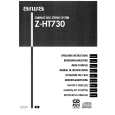 $4.99 Z-HT730 AIWA
Owner's Manual Complete owner's manual in digital format. The manual will be available for download as PDF file aft…
|
|
|
> |
|