|
|
|
Categories
|
|
Information
|
|
Featured Product
|
|
|
 |
|
|
There are currently no product reviews.
 ;
Please tell us what you think and share your opinions with others. Be sure to focus your comments on the product. You will receive $2.00 of store credit for Your review.
;
Please tell us what you think and share your opinions with others. Be sure to focus your comments on the product. You will receive $2.00 of store credit for Your review.
;
Good copy and great customer service! There was some confusion with my order and it was resolved promptly!
;
Having bought a pre-owned Sony FM stereo tuner through eBay, it came without any manuals. It soon became clear that to get the best from this excellent tuner I needed a decent manual because much of the operation was not intuitive to a newboy to hi fi like me. I managed to download the official Sony multi-lingual manual from Owner-Manuals.com with no problem at all - a really quick and easy service. I'm very glad I did because I found out all the operations of the tuner and was then able to not only set it up quickly but also to get much more from it that poke-and-hope trialling would ever achieve. In my book $4.99 very well spent.
;
This manual is immaculate in it's accuracy. Everything is written very clearly and easy to understand. Written by a professional who wants to convey a clear and easy to understand message!!
Setting Up
Choosing the power sources
You can use the AC power or batteries as a power source.
AC IN
3
Battery compartment
1 to a wall outlet
1 Connecting the AC power cord
Insert one end of the supplied AC power cord to the AC IN socket located at the rear of the player, and the other end to the wall outlet.
3 Using the player on batteries
Insert six size C (R14) batteries (not supplied) into the battery compartment. To use the player on batteries, disconnect the AC power cord from the player.
2 Inserting batteries into the remote
Insert two size AAA (R03) batteries (not supplied).
Setting Up
Replacing batteries With normal use, the batteries should last for about six months. When the remote no longer operates the player, replace all the batteries with new ones.
Replacing batteries Replace the batteries when the OPR/BATT indicator dims or when the player stops operating. Replace all the batteries with new ones.
Tips � The backlight of the display lights up when the player is turned on. � When you operate the player on the batteries, you cannot turn on the player with remote.
25
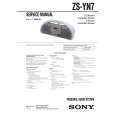 $4.99 ZSYN7 SONY
Service Manual Complete service manual in digital format (PDF File). Service manuals usually contains circuit diagr…
|
|
|
> |
|