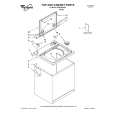
Thr Video Recorder i have is quiet Old and the Producer could Not help me. So i w as very glad to find an offer for the owners Manual for a very fair Price.a I obtained the original Manual very quick and I am happy to have it now.
The PDF copy was immediately available on download after the payment. However, I noticed that the document was in German, and Ihad to contact a German translator to get it translated it to English. The quality of document is legible can be used for my purpose.
The manual was complete and of great quality. Originally a tri-lingual file, I first received only one language. After a note to owners-manuals.com, I quickly received the remaining languages... Great service, definitely worth it.
Thank you for providing this manual and at low cost.
The Philips scope is of excellent quality, longevity and build and had a couple of faults
when it was passed to me. Having the CCT diagrams is a blessing.
I have fixed the problems and also modded the scope to my requirements.
I have built a 24v Li-Ion pack for portable use from old but good laptop batts.
it is working beautifully and I am well pleased. Keep up the good work Guys.
Text excerpt from page 3 (click to view)
4. USING
4.1. The control panel
1 - On/Off pushbutton 2 - Cold wash pushbutton Presented model : ZWR 160 (ZWT 150 without soft opening) 3 - Rinse hold or Half load pushbutton 4 - Program selector
123
4
4.2. How to do a wash ?
Before the first wash in your washing machine, we recommend that you should do a preliminary wash at 90°C with detergent but without any washing to clean the tub.
4.2.3. Choice of the pushbuttons
Press the chosen pushbuttons.
4.2.4. «On/off» pushbutton
To switch on your appliance, press this pushbutton. The control lamp lights on.
4.2.1. Loading the washing
� � � Lift the machine cover. Open the drum by pressing on the locking button A; the two flaps automatically separate. Insert the washing, close the drum and the cover of your washing machine. Warning : before you close the cover of your washing machine, make sure that the drum door is properly closed: �the two flaps latched together, �the locking button A extended.
4.2.5. «Cold wash» pushbutton
This pushbutton is used for cold washing ; water input the drum is not heated.
4.2.5.1. «Half load» pushbutton
This pushbutton allows to wash small quantity of linen not much soiled (max. 2,5 kg) on cotton programmes only by reducing the water quantity during rinsings.
A
4.2.6. Choice of the programme
Select the programme depending on the nature and the degree of soil of the laundry. Turn the programme selector clockwise to select the chosen programme.
4.2.2. Proportioning of detergents
Your washing machine was designed to reduce water and detergent consumption, therefore reduce the doses recommended by detergent manufacturers. Put the powder detergent dose into the wash compartment and into the prewash compartment if you chose the «prewash» option. Put the softener into the compartment if you wish. If you are using a different type of detergent, refer to the «detergents and additives» section in the washing guide.
4.2.7. Starting the programme
After you choose the washing programme, press the «On/ Off» pushbutton to start the cycle.