|
|
|
Categories
|
|
Information
|
|
Featured Product
|
|
|
 |
|
|
There are currently no product reviews.
 ;
Very good detail, all pages clear, exactly what I needed
;
Excellent service, and just what I needed to service my TU-7700. All pages of the manual are clear and easily readable.
;
Excellent printing quality.
A complete and very usefull service manual with all details.
GREAT SERVICE AT VERY LOW PRICE!
A+++++++++++++++++++++++++
;
We received the manual in a timely manner and it was exactly what we were expecting. Excellent replacement for original Service Manual.
All schematics are very legible. We are really satisfied.
;
We received the manual in a timely manner and it was exactly what we were expecting. Excellent replacement for original Service Manual.
All schematics are very legible. We are really satisfied.
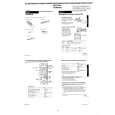
To replace the main batteries 1. Switch power off. 2. Loosen the screw of the large battery compartment cover on the back of the unit, and slide the battery compartment cover in the direction noted by the arrow. (Figure 1) 3. Remove the old batteries. 4. Making sure that the positive (+) and negative (-) ends of the batteries are facing correctly, load two new batteries into the compartment. (Figure 2) � Be sure to replace both old batteries with two new ones. 5. Insert the tabs on the bottom of the battery compartment cover into the slots of the battery compartment and carefully close the cover. Secure the cover in place with the screw. (Figure 3)
Figure 1
Figure 2
Figure 3
To replace the back-up battery 1. Switch power off. 2. Loosen the screw of the small battery compartment cover on the back of the unit, and remove the backup battery compartment cover. (Figure 4) 3. Remove the old battery. 4. Wipe off a new battery with a soft cloth.Then, load it into the compartment making sure that positive (+) side is facing up (so you can see it.) (Figure 5) 5. Insert the tabs on the bottom of the battery compartment cover into the slots of the battery compartment and carefully close the cover. Secure the cover in place with the screw. (Figure 6)
Figure 4
Figure 5
Figure 6
� 14 �
|
|
|
> |
|