|
|
|
Categories
|
|
Information
|
|
Featured Product
|
|
|
 |
|
|
There are currently no product reviews.
 ;
My first manual from Owner-Manuals.com but not the last! I am very satisfied with the easy ordering and promt delivery of a manual I did not find anywhere else.
 ;
This manual is very helpfull to use the Power Supply. All technical information has been available.
For service use the circuit diagrams are very good.
Thanks .
;
Very comprehensive document which is a must-have for any Satellit 2100 owner whose set up is somewhat intricate. Due to the bad quality of the pictures that are rather dark and a bit blurred I gave 4-star feedback.
;
The manual was missing 2 pages but when I presented the problem to the company they made every attempt to get the 2 pages to me, when they couldn't they refunded my money. A very pleasing and easy transaction. The manual they provided was the original, it was concise and to the point. I plan to do business with this company again when should the need arise.
;
The owners manual is very good. all my how to questions were answered in detail.
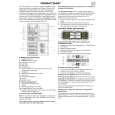
BEZEICHNUNGEN UND FUNKTIONEN DER TEILE Sensorfeld (Grundbildschirm)
KOPIERBEREIT.
SPEZIALMODI
ORIGINALE A4 A4R
2SEITIG KOPIEREN
1. A4 2. A3
AUSGABE
AUTOM. BELICHTUNG
AUTOM. A4 PAPIERWAHL
100% ABBILDUNGSVERH
Taste ANWENDERSPEZIFISCHE EINSTELLUNGEN ( ) Betätigen Sie diese Taste, um GerätebetreuerProgramme einzustellen oder um den Kontrast des Sensorfelds einzustellen. Taste 2SEITIG KOPIEREN Betätigen Sie diese Taste zur Wahl des Kopiermodus einseitig zu einseitig, einseitig zu zweiseitig*, zweiseitig zu einseitig (nur AR-286 und AR-336) oder zweiseitig zu zweiseitig (nur AR-286 und AR-336). * Zur Wahl des Kopiermodus einseitig zu zweiseitig beim AR-281 mu� ein optionales Duplexmodul (AR-DU1) installiert sein. Taste AUSGABE Betätigen Sie diese Taste zur Wahl des Finishermodus SORTIEREN oder GRUPPIEREN. Anzeige BELICHTUNG Hier wird der gewählte Belichtungsmodus angezeigt. Taste BELICHTUNG (S. 2-16) Betätigen Sie diese Taste zur Einstellung des Belichtungsmodus AUTOM., TEXT, TEXT/FOTO oder FOTO. Anzeige PAPIERWAHL Hier wird das gewählte Papierformat angezeigt. Wenn �AUTOM.� angezeigt wird, wird automatisch ein Papierformat entsprechend dem Original und dem Abbildungsverhältnis gewählt. Taste PAPIERWAHL Betätigen Sie diese Taste zur Wahl des gewünschten Papierfachs.
Anzeige ABBILDUNGSVERH Hier wird das Abbildungsverhältnis für Verkleinerung und Vergrö�erung angezeigt. Taste ABBILDUNGSVERH Betätigen Sie diese Taste, um ein Abbildungsverhältnis für Verkleinerung oder Vergrö�erung oder um den Modus für automatische Wahl des Abbildungsverhältnisses zu wählen. Taste �BERSICHT ( )
Betätigen Sie diese Taste, um die Einstellungen der gewählten Funktionen zu überprüfen.
KAPITEL6 Bezeichnungen und Funktionen der Teile Grundeinstellungen Die Grundeinstellungen werden aktiviert, wenn die Taste ALLES L�SCHEN ( CA ) betätigt wird, sowie etwa eine Minute nach dem Erstellen der letzten Kopie in einem beliebigen Modus. Mit Ausnahme der Papierfachwahl werden die Grundeinstellungen auch beim Einschalten des Kopierers aktiviert. � Abbildungsverhältnis: 100%
� � �
ALLGEMEINE INFORMATIONEN
Automatische Belichtung Kopienzahl: 0
Alle Spezialmodi des Kopierers sind deaktiviert. � Papierfachwahl: Papierfach 1 (Beim Einschalten der Spannungsversorgung wird das zuletzt gewählte Papierfach wieder gewählt.) Wenn das optionale Gro�raumfach installiert ist, wird dieses gewählt. � GER�TEBETREUER Die Grundeinstellungen können nach Wunsch programmiert werden. Auch die Zeitdauer für automatische Rückstellung kann geändert werden. Siehe Seite 8-17 und 8-21.
6-5
 $4.99 AR-286 SHARP
Parts Catalog Parts Catalog only. It's available in PDF format. Useful, if Your equipment is broken and You need t…  $4.99 AR286 SHARP
Service Manual Complete service manual in digital format (PDF File). Service manuals usually contains circuit diagr…
|
|
|
> |
|