|
|
|
Categories
|
|
Information
|
|
Featured Product
|
|
|
 |
|
|
There are currently no product reviews.
 ;
manual de usuario perfecto y completo de buena calidad de impresion y muy detallado ideal !
 ;
It`s full copy of a service manual from url http://www.philips.owner-manuals.com/PM3216-service-manual-PHILIPS.html
;
perfect! you just sent to me the copy in Italian witout even my specification!!!! so you are really smart cooperative and efficient. To my opinion the best place all over to get a manual of electronics!!!!
;
Well Well Well!!!! Good manual perfect for my hobby!!! As Before you have done a very well done work!!!! Thank you
;
Super nice! Good to have a manual in digital format.
PROTECTION ANTIVOL
Emportez le panneau avant avec vous quand vous quittez la voiture, et conservez-le dans la mallette de transport fournie.
FONCTIONNEMENT DE BASE, REGLAGE DU SON ET DE L�HORLOGE
PWR/ATT SEL Bouton de(PUSH-SOURCE) Jog dial réglage (PUSH-SOURCE)
Retrait du panneau avant
Avant d�enlever le panneau avant, retirez le CD pour éviter tout dommage éventuel à l�appareil.
1 Appuyez sur z pour retirer le CD. 2 Maintenez PWR/ATT pressé jusqu�à ce que l�appareil
soit hors tension. 3 Appuyez sur %. (Maintenez le panneau d�une main pour éviter toute chute accidentelle.) 4 Retirez le panneau.
DSPL TU (TUNER) +/�
Mise sous/hors tension
� Appuyez sur PWR/ATT pour mettre l�appareil sous tension. Il se met aussi sous tension à l�insertion d�un CD. � Maintenez PWR/ATT pressé jusqu�à la mise hors tension.
Remarque
Fixation du panneau avant
1 Engagez le côté gauche du panneau avant dans la 2 Poussez le panneau avant jusqu�au verrouillage.
Prenez garde de ne presser aucune touche pendant la fixation du panneau. griffe gauche sur l�appareil.
Sauf indication explicite contraire, la plupart des opérations décrites dans ce manuel exigent que l�appareil soit mis sous tension avant leur démarrage.
Changement de mode source
1 Appuyez sur Bouton de réglage (PUSH-SOURCE).
La pression de Bouton de réglage (PUSH-SOURCE) fait passer cycliquement entre les modes source dans l�ordre suivant : TUNER (FM1/FM2/FM3/AM1/AM2) � CD* � AUX
�
* �CD� ne s�affiche pas quand il n�y a pas de CD dans l�appareil.
Réglage du volume
Remarque
Ne pas toucher le connecteur à l�arrière du panneau avant. Cela pourrait causer une connexion faible ou défectueuse.
1 Tournez Bouton de réglage.
L�indicateur VOLUME apparaît.
Mise en sourdine
1 Appuyez brièvement sur PWR/ATT.
L�indicateur ATT clignote. Pour rétablir le volume, appuyez de nouveau brièvement sur PWR/ATT.
FRAN�AIS
2
003/CDC-X237(FR) Black
15
12/25/02, 6:20 PM
CDC-X237-total-Fr-15
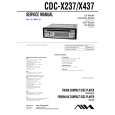 $4.99 CDCX237 AIWA
Service Manual Complete service manual in digital format (PDF File). Service manuals usually contains circuit diagr…
|
|
|
> |
|