|
|
|
Categories
|
|
Information
|
|
Featured Product
|
|
|
 |
|
|
There are currently no product reviews.
 ;
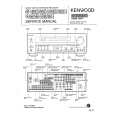
This is a high quality manual with clear schematic and components layout diagrams ; with service procedure included.
 ;
This service manual for the Kenwood KT-990D was reproduced really well ,is very legible and manual is complete.Combined with the low price paid,in the future,I will be checking Owner-Manuals.com any time I need a manual.
;
When I purchased this manual I had my doubts regarding the quality as the price was so reasonable as compared to other outlets.
The manual itself is of high standard the print is very clear as are the diagrams. Obviously with the diagrams one has to zoom in otherwise it is to small to be able to read.
Overall I am very pleased with the company who delivered as they said and with the manual they supplied.
I occasionally require a manual and now having registered with this company I shall order from them in the future.
;
I was at first dubious about payiong for downloaded manuals but having done so, I was extremely impressed with quality of the two manual I ordered, well worth the small price I paid.
I would highly recommend these to my friends.
;
reasonable price for the schematic - the service is perfect, all as expected and pointed by instructions - good scan of the original plans - thank you!
5
6
7
8
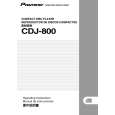
(Pause) Pauses at the position. (Eject) In the playback state or stop state, perform the disc eject. (Audio Play) Audio playbacks the arbitrary music. It is necessary for this command that Player is set up beforehand. Please execute (Play) first. (Reject) Stop by the command. Examples: When audio playbacks at track 8 Press buttons of [8], [AUDIO], ([FUNC] and [7]) in order.
A
� Test operation command
It can control servo operation finely. Be careful not to damage the player by mistake the usage of test command. (Test/Normal Mode Change) [C-MODE] Switch the Test mode/Normal mode by [FUNC] and [3] buttons. Can use only commands of 7TM from 0TM in the test mode. (Servo All Off) During servo ON, turn all servos OFF when pressing the [0] and [TIME] buttons in order. (Focus On) During CD STOP, turns the LD ON when pressing [1] and [TIME] buttons in order, and perform the autofocus. (Spindle Kick, Tracking ON/Off) During tracking servo OFF, perform the spindle kick and turn the automatic adjustment processing and tracking servo ON when pressing [2] and [TIME] buttons in order. Also during tracking servo ON, turn the tracking servo OFF when pressing [2] and [TIME] buttons in order. (Tracking OFF) During tracking servo ON, turn the tracking servo OFF when pressing [3] and [TIME] buttons in order. (Slide FWD) During tracking servo ON, turn the tracking servo OFF and move the slider in the FWD direction when pressing [4] and [TIME] buttons in order. (Slide REV) During tracking servo ON, turn the tracking servo OFF and move the slider in the REV direction when pressing [5] and [TIME] buttons in order. (Search TR No.2) During CD STOP, perform the following operations when pressing [6] and [TIME] buttons in order. LD ON � Autofocus � Spindle kick � Automatic adjustment processing � Second tune search � Tracking servo ON When performed Tracking OFF, there is the case that cannot rise up in this command. In that case please repeat once again. (Pickup UP/DOWN) During CD STOP, turn the LD ON and move the pickup up and down when pressing [7] and [TIME] buttons in order. Do not close the focus. * When rise by a step with the test mode, input a command by pressing buttons of [0], [TIME], [1], [TIME], [2] and [TIME] in order.
B
C
D
E
F
CDJ-800
5 6 7 8
57
|
|
|
> |
|