|
There are currently no product reviews.
 ;
completo manual bien detallado y de buena calidad de impresion , se echa en falta los esquemas de placa y parte de algun diagrama.
 ;
perfecto manual ,completo y detallado de muy buena calidad de impresion, ideal en una palabra.
;
un manual completo con una calidad de imagen buena con explicaciones en varios idiomas de los ajustes y detalles en conjunto un OK.
;
Good copy, clear and has all necessary information. Very happy with the purchase
;
buen manual con sus formas de onda y esquemas , completo y de buena calidad de imagen, es correcto.
DISMANTLING INSTRUCTIONS
Dismantling the CD module
4-4
� Remove top cover and ornamental cover from the tray first � see description on pages 4-1 and 4-2. � Loosen 2 screws at the rear side � see picture 13. � Move the complete module backwards. � Pull the module on rear side up and turn it out. � Put the module to a proper service position. � see also chapter SERVICE HINTS.
picture 13
Mounting the CD module
� For proper mounting it is necessary that the pins on the front side (see picture 14) are put into the feed holes on the front cabinet ( see picture 15). � Move the module frontwards until the guiding pins at the rear slip into the holes on the bottom. � Fix the module with 2 screws at the rear (see picture 13).
picture 14
picture 15
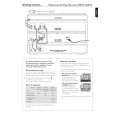 $4.99 CDR795 PHILIPS
Quick Start Quick start guide ( sometimes called quick guide ) contains most important information on how to use…
|