|
|
|
Categories
|
|
Information
|
|
Featured Product
|
|
|
 |
|
|
There are currently no product reviews.
 ;
I received the manual in correct time. It was a perfect help for me.
;
excellent quality, contains circuits and scan quality, 226 pages
 ;
Great price for the manual and easy to locate on the site and download. I would buy again.
;
Very good copy of Manual, clear and easy to print off, arrived very promptly and reasonably priced. Thanks, I will use you again
;
The service manual when downloaded and printed out was clear and easy to read. The manual is complete with the schematic diagram and technical data. I occasionally require a manual and now having registered with this company I shall order from them in the future.
Additional settings (OPTION)
You can manually degauss (demagnetize) the monitor, adjust the moire cancellation level, change the menu position, and lock the controls.
Changing the menu�s position
Change the menu�s position if it is blocking an image on the screen. To change the menu�s on-screen position, first move the control button m/M to select (OSD H POSITION) for horizontal adjustment, or (OSD V POSITION) for vertical adjustment. Then move the control button </, to shift the on-screen menu.
1 Press the center of the control button.
The main MENU appears on the screen.
2 Move the control button to highlight
OPTION and press the center of the control button again. The OPTION menu appears on the screen.
Locking the controls
To protect adjustment data by locking the controls, first move the control button m/M to select (CONTROL LOCK). Then move the control button ,, to select ON. Only the 1 (power) switch, EXIT, and (CONTROL LOCK) of the OPTION menu will operate. If any other items are selected, the mark appears on the screen.
To cancel the control lock Repeat the procedure above and set
3 Move the control button m/M to select the desired
adjustment item. Adjust the selected item according to the following instructions.
Degaussing the screen
The monitor is automatically demagnetized (degaussed) when the power is turned on. To manually degauss the monitor, first move the control button m/M to select (DEGAUSS). Then move the control button ,. The screen is degaussed for about 5 seconds. If a second degauss cycle is needed, allow a minimum interval of 20 minutes for the best result.
(CONTROL LOCK) to OFF.
Adjusting the moire*
If elliptical or wavy patterns appear on the screen, adjust the moire cancellation level. To adjust the amount of moire cancellation, first move the control button m/M to select (MOIRE ADJUST). Then move the control button </, until the moire effect is at a minimum.
* Moire is a type of natural interference which produces soft, wavy lines on your screen. It may appear due to interference between the pattern of the picture on the screen and the phosphor pitch pattern of the monitor. Example of moire
11
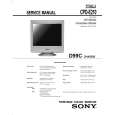 $4.99 CPDE210 SONY
Service Manual Complete service manual in digital format (PDF File). Service manuals usually contains circuit diagr…
|
|
|
> |
|










