|
There are currently no product reviews.
 ;
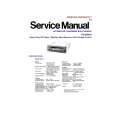
Good quality Service Manual, availability of components includes disassembly, electronic adjustments. Includes a full list of details and diagrams. Contains 58 pages.
 ;
y'm hapy for this shoping . Estoy feliz por esta compra , ahora puedo reparar mi equipo de audio que AMO . And very good price for this manual . Thank yuo .
;
Perfect manual, perfect service. Easy reading. Thanks a lot
;
Very good quality download here. Great hard to find manuals at a reasonable price.
;
I had a problem with the mains transformer, I did not know the voltages on the secondary, this manual helped me to solve this problem, thanks for the manual!
Clock Basics (The clock system is 12-hours.)
l
BASS/TREB/BAL/FADER
FEW k
5500U
Press and hold
Initial Time
Press and hold [CLK] to set time. Display blinks, and the time setting mode is activated. Press [i] to set the hour. i Press [j] to set the minute. j (Hold [i] or [j] to change numbers rapidly.) i j
d
l
Once the time has been set, release [CLK]. Note: When the clock is not set yet, "SET" is displayed.
FEW k
5500U
or
l
Time Reset
When you want to reset the time, repeat steps and above.
5500U
FEW k
Clock Display
Press [CLK] to display the current time. Press [CLK] again to return to previous display. Note: The current time will be displayed at all the time even the power of the radio is turned off.
15
|