|
|
|
Categories
|
|
Information
|
|
Featured Product
|
|
|
 |
|
|
There are currently no product reviews.
 ;
Received my manual within 24 hours. Very clear scan of the manual I needed. Thanks!
 ;
Very clear scan, I recommend it. Definitely a must have for any 3362 owner.
Alpine could have written a slightly more complete manual, though. It's already pretty huge, but the unit has so many functions, I feel some more explanation would have been better.
Yamaha's manual of their comparable YDSP-1 is a little better in my opinion.
;
Immediate response with excellent service - highly reccommended
;
Correct manual received and of good quality but the contents of the file for the Service Manual for the same monitor is for a 20" TV not the RGB Monitor.
;
The owners manual for the Pioneer VSX-D603S was exactly what I needed. I received it in a timely manor and it was priced fairly. I definately will use your servise again. Thank You
Opérations générales
Ce chapitre explique comment mettre sous tension ou éteindre l�appareil, comment régler le volume, etc.
Retrait/mise en place du panneau avant Activation ou désactivation de
Mise sous tension
Appuyer sur la touche [SOURCE] (PWR: POWER).
U VOL P
SH SEL / SRS
WOW
SOURCE
SQ
PWR
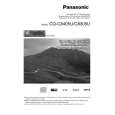
CQ-C8405U
MENU DIM TUNE TRACK FOLDER/P-SET/DISC MUTE SBC-SW
� DM
/ /SET/APM BAND
DISP
TILT OPEN
LIST
Mise hors tension
Maintenir la touche [SOURCE] (PWR: POWER) enfoncée jusqu�à entendre un bip, puis la relâcher.
Il est possible de retirer le panneau avant pour l�empêcher d�être volé.
Retrait
Mise en place
1 Mettre l�appareil hors tension (a page 52) 2 Appuyer sur la
touche [ ] (Déblocage).
(Le panneau avant est détaché avec un clic.)
CQ-C8405U
/ /SET/APM BAND TILT OPEN
1 Faire glisser le côté gauche du panneau avant pour le mettre en place.
DISP
l�alimentation
(SYST�ME ANTIVOL) (PWR: POWER)
Le panneau avant se ferme automatiquement au bout de 5 secondes lorsqu�il est ouvert. Si l�appareil est sous tension, il se met automatiquement hors tension.
2 Appuyer sur l�extrémité droite du panneau
avant jusqu�à ce qu�un déclic soit entendu.
3 Mettre le panneau avant dans le boîtier.
Précautions
¡ Il est recommandé de démonter ou monter le panneau avant lorsque celui-ci est en position fermée. Ne pas démonter pas le panneau lorsqu�il est en mouvement. ¡ Noter que ce panneau avant amovible n�est pas étanche à l�eau. Ne pas l�exposer à l�eau ni le laisser en présence d�une humidité excessive. ¡ Ne jamais essayer de retirer le panneau avant amovible en conduisant.
¡ Ne pas laisser le panneau avant amovible sur le tableau de bord ou dans un endroit susceptible de devenir excessivement chaud. ¡ Ne pas toucher aux contacts du panneau avant amovible ni à ceux de l�appareil principal étant donné que cela peut entraîner de mauvais contacts électriques par la suite. ¡ Si des saletés ou de la poussière se sont déposées sur les contacts, les retirer soigneusement avec un chiffon sec et propre. ¡ Ne pas appuyer fortement vers le bas sur le panneau avant quand il est ouvert et ne rien poser dessus car ceci risque de l�endommager.
52
CQ-C8405U/C8305U
|
|
|
> |
|