|
|
|
Categories
|
|
Information
|
|
Featured Product
|
|
|
 |
|
|
There are currently no product reviews.
 ;
This Service manual is very well scanned and its clean to read, no any anti-theft words that un-english could understand. I got my CCD600 working with this manual and it´s clear shematics :)
;
I was very pleased with the service provided and was surprised at how good the quality was of the manual. I thought it may be a third generation copy or so, but it is as good as the websites that charge 3 times this much. I repair some electronics for family and friends without charge, so this is perfect for me. Thank you very much.
;
The service was great and the document was also great. Highly recommend!!!!
If anyone has a users manual... Please email me. need one. $ [email protected]
;
I needed a service manual as the display on my oscilloscope was very dim. I thought I'd give owner-manuals.com a try, as they advertised a huge number of manuals. Sure enough they had one listed. I bought it hoping it would be useful... actually, I bought it hoping it would be readable! I've had manuals from online sources in the past, and been very disappointed. Not this time! An excellent manual, complete, and very readable. Using it I fixed my 'scope, and as such the manual was an investment that paid off manyfold. Do I have any complaints? One very minor one - The circuit diagrams could have been scanned at a higher resolution, as some of the details were a little difficult to make out - not impossible, just not as easy as my old eyes would like! Overall, I'm very satisfied with my manual, and I will certainly be using this company again. Well done.
 ;
I Have looked for this manual for quiet a while now, I have finally found it here. I believe this is the only place they have them in a very nice scan, pages are very clear to read, some of the pages are a bit tilted but overall it is great to have this manual available for purchase. Thanks
Opérations générales
Ce chapitre explique comment mettre sous tension ou éteindre l�appareil, comment régler le volume, etc.
Retrait/mise en place du panneau avant Activation ou désactivation de
Mise sous tension
Appuyer sur la touche [SOURCE] (PWR: POWER).
U VOL P
SH SEL / SRS
WOW
SOURCE
SQ
PWR
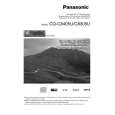
CQ-C8405U
MENU DIM TUNE TRACK FOLDER/P-SET/DISC MUTE SBC-SW
� DM
/ /SET/APM BAND
DISP
TILT OPEN
LIST
Mise hors tension
Maintenir la touche [SOURCE] (PWR: POWER) enfoncée jusqu�à entendre un bip, puis la relâcher.
Il est possible de retirer le panneau avant pour l�empêcher d�être volé.
Retrait
Mise en place
1 Mettre l�appareil hors tension (a page 52) 2 Appuyer sur la
touche [ ] (Déblocage).
(Le panneau avant est détaché avec un clic.)
CQ-C8405U
/ /SET/APM BAND TILT OPEN
1 Faire glisser le côté gauche du panneau avant pour le mettre en place.
DISP
l�alimentation
(SYST�ME ANTIVOL) (PWR: POWER)
Le panneau avant se ferme automatiquement au bout de 5 secondes lorsqu�il est ouvert. Si l�appareil est sous tension, il se met automatiquement hors tension.
2 Appuyer sur l�extrémité droite du panneau
avant jusqu�à ce qu�un déclic soit entendu.
3 Mettre le panneau avant dans le boîtier.
Précautions
¡ Il est recommandé de démonter ou monter le panneau avant lorsque celui-ci est en position fermée. Ne pas démonter pas le panneau lorsqu�il est en mouvement. ¡ Noter que ce panneau avant amovible n�est pas étanche à l�eau. Ne pas l�exposer à l�eau ni le laisser en présence d�une humidité excessive. ¡ Ne jamais essayer de retirer le panneau avant amovible en conduisant.
¡ Ne pas laisser le panneau avant amovible sur le tableau de bord ou dans un endroit susceptible de devenir excessivement chaud. ¡ Ne pas toucher aux contacts du panneau avant amovible ni à ceux de l�appareil principal étant donné que cela peut entraîner de mauvais contacts électriques par la suite. ¡ Si des saletés ou de la poussière se sont déposées sur les contacts, les retirer soigneusement avec un chiffon sec et propre. ¡ Ne pas appuyer fortement vers le bas sur le panneau avant quand il est ouvert et ne rien poser dessus car ceci risque de l�endommager.
52
CQ-C8405U/C8305U
|
|
|
> |
|