|
|
|
Categories
|
|
Information
|
|
Featured Product
|
|
|
 |
|
|
There are currently no product reviews.
 ;
manual de usuario perfecto y completo de buena calidad de impresion y muy detallado ideal !
 ;
It`s full copy of a service manual from url http://www.philips.owner-manuals.com/PM3216-service-manual-PHILIPS.html
;
perfect! you just sent to me the copy in Italian witout even my specification!!!! so you are really smart cooperative and efficient. To my opinion the best place all over to get a manual of electronics!!!!
;
Well Well Well!!!! Good manual perfect for my hobby!!! As Before you have done a very well done work!!!! Thank you
;
Super nice! Good to have a manual in digital format.
x DTS Selects the DTS signals to be output via the DIGITAL OUT OPTICAL and COAXIAL connectors. You cannot select this item when you set �DIGITAL OUT� to �OFF.� � OFF: when the player is connected to an audio component lacking a built-in DTS decoder. � ON: when the player is connected to an audio component having a built-in DTS decoder. If the player is connected to an audio component lacking a built-in DTS decoder, do not set this. Otherwise, when you play the DTS sound track, a loud noise or no sound will come out from the speakers, affecting your ears or causing the speakers to be damaged.
Note
Select the setting correctly. Otherwise, no sound or a strange sound will come out from the speakers, affecting your ears or causing the speakers to be damaged.
Controlling your TV or AV Receiver (Amplifier) with the Supplied Remote Z
If you adjust the remote signal, you can control your TV or AV receiver (amplifier) with the supplied remote. Default setting is to control Sony TVs with the mark.
TV @/1
1 2 5 8 0 3 6 9
Number buttons
4 7
Controlling TVs or AV receivers (amplifiers) with the remote
Hold down TV @/1, and enter your TV�s or AV receiver�s manufacturer�s code (see the table) using the number buttons. Then release TV @/1. Code numbers of controllable TVs or AV receivers (amplifiers) If more than one code number is listed, try entering them one at a time until you find the one that works with your TV or AV receiver (amplifier).
Notes
� If you enter a new code number, the code number previously entered will be erased. � When you replace the batteries of the remote commander, the code number reset to 01 (Sony). Reset the appropriate code number.
Settings and Adjustments
53
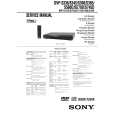 $4.99 DVPS360 SONY
Service Manual Complete service manual in digital format (PDF File). Service manuals usually contains circuit diagr…
|
|
|
> |
|










