|
There are currently no product reviews.
 ;
Quality of the product received was crisp and clear. Better than expected.
;
The users guide was excellent. It provided the information neeeded to connect and control the Crate system. Nothing was left to chance
BASIC IMAGE RECORDING
Using the Flash
Perform the following steps to select the flash mode you want to use.
5. Record the image.
IMPORTANT! � The flash unit of this camera fires a number of times when you record an image. The initial flashes are pre-flashes, which the camera uses to obtain information it uses for exposure settings. The final flash is for recording. Make sure that you keep the camera still until the shutter releases. � Image recording may not be performed if you press the shutter release button while the operation/flash charge lamp is flashing amber. NOTE
Select this setting: Auto
1. In the REC mode, press [MENU]. 2. Use [ ] and [ ] to select the �REC� tab. 3. Use [ ] and [ ] to select �Flash�, and then
press [ ].
4. Use [ ] and [ ] to select the flash mode you
want, and then press [SET].
To do this: Have the flash fire automatically when required (Auto Flash) Turn off the flash (Flash Off) Always fire the flash (Flash On) Fire a pre-flash followed by image recording with flash, reducing the chance of red-eye in the image (Redeye reduction). Have the flash fire automatically when required.
� You can use the key customization feature (pages 66, 67) to configure the camera so the flash mode changes whenever you press [ ] and [ ], or [ ] and [ ] while in the REC mode.
45
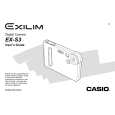 $4.99 EXS3 CASIO
Owner's Manual Complete owner's manual in digital format. The manual will be available for download as PDF file aft…
|