|
|
|
Categories
|
|
Information
|
|
Featured Product
|
|
|
 |
|
|
There are currently no product reviews.
 ;
Finding the owners manual for my Pioneer CRWM62R is greatly appreciated. I had searched several other web sites with no success. Although my manual was not listed on your site for immediate download, I recevied an email within a few hours that my ower's manual was posted for me. I had no difficulty downloading the manual for my 20 year old multi-cassette player. Owner Manuals provides a service that is valuable, easy-to-use, accurate , efficient, and priced fairly. I thank you.
;
Excellent manual - just what I needed. Although currently available only in German, their are lots of pictures which makes it all very clear.
;
PHILIPS PE1642 Owner's Manual
Hi,
you have complet fullfilled my expectance.
Price is OK.
Robert Schmid
 ;
Came in the mail within a few hours. Gave clear instruktion on maintaines. Is of great use to have this manual in house
;
Easy to access. Clear instructions. No problems. Printed fine.
14
Fonctions de lecture
C A I
TE YS M E C U LE
MARCHE
E
H
N
Recherche à vitesse variable/ lecture inverse
1
Pour revenir en lecture normale, appuyer sur 4.
S
LECTURE (suite)
O U
Arrêt sur image/lecture image par image
REVIEW
PASSER EN RECHERCHE A VITESSE VARIABLE
Pendant la lecture, appuyer sur @ ou #. � Plus vous appuyez de fois, plus l'image de lecture défile rapidement. � Pour réduire la vitesse, appuyer sur la touche de sens opposé.
R
FAIRE UNE PAUSE PENDANT LA LECTURE
1
AFFICHAGE CHAINE
Appuyer sur 6. S'il y a des instabilités verticales, utiliser les touches CHAINE ou TV PROG pour corriger l'image.
LIRE IMAGE PAR IMAGE
Appuyer sur 6.
SYSTEME COULEUR AUTO SAT.
2
OU
Appuyer sur @ ou #.
Pour reprendre la lecture normale, appuyer sur 4.
Ralenti
1 4 7
2 5 8 0
3 6 9
2
PASSER EN LECTURE AU RALENTI
1
TV PROG
Pendant l'arrêt sur image, appuyer sur 6 et maintenir pendant 2 secondes, puis relâcher. Appuyer et relâcher de nouveau pour revenir en arrêt sur image.
OU
Pendant l'arrêt sur image, continuer à appuyer sur @ ou #. Relâcher pour revenir en arrêt sur image.
4
Pour reprendre la lecture normale, appuyer sur 4.
Recherche visuelle ultra-rapide
1
?
PASSER EN RECHERCHE A GRANDE VITESSE
3
1
Pendant la lecture ou en arrêt sur image, appuyer sur 3 pour la recherche à grande vitesse avant, ou sur 2 pour la recherche à grande vitesse inverse.
Pour reprendre la lecture normale, appuyer sur 4.
REMARQUES:
� Pendant la lecture ou l'arrêt sur image, maintenir pressé 3 ou 2 pendant plus de 2 secondes pour des recherches courtes. Lorsque la touche est relâchée, la lecture normale reprend. � Pour éviter une distorsion d'image avec une bande MESECAM enregistrée en mode LD, bien sélectionner "MESECAM" avec la touche SYSTEME COULEUR ( p. 12) pendant la recherche, l'arrêt sur image ou l'avance image par image.
ATTENTION
En mode de recherche, d�arrêt sur image, de ralenti, ou de lecture image par image, � l�image sera déformée. � des barres de bruit apparaîtront.
� une cassette enregistrée en mode LD subira une perte de couleur. � Veuillez noter que sur le modèle HR-J260MS, l�image peut être déformée dans ces modes.
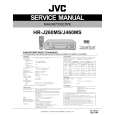 $4.99 HRJ460MS JVC
Service Manual Complete service manual in digital format (PDF File). Service manuals usually contains circuit diagr…
|
|
|
> |
|