|
|
|
Categories
|
|
Information
|
|
Featured Product
|
|
|
 |
|
|
There are currently no product reviews.
 ;
It was very usefull, it is clear the quality is super, the price I paid is very afordable.
Generally speaking Iam very happy with this company.
;
The manual was exactly what I needed, Good quality scans too. superb.
;
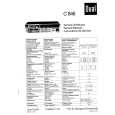
I am so happy found this site as it consists of so many Manuls and easy to aquire. This onei s exactly what I wanted and much more as it has info on not only how to use the tuner but how to repair it as well. I will come here 1st before purchasing else where! Thanks owner-manual.com!
;
Top class product, I printed it out on A3 paper and it is clear and very easy to follow.
Cheaper than buying a new radio!
;
is part of the manual is very useful for repairing
Here are circuit diagrams
if there is damage, I recommend using this part of the
a complete list of circuit boards and components
Adjusting the shutter speed
number that appears on the screen, the slower the shutter speed.
To restore automatic adjustment
You can manually adjust and fix the shutter speed for your convenience. Depending on the shutter speed, you can make the subject look still, or on the contrary, emphasize the fluidity of movement.
Press SHUTTER SPEED, or set the AUTO LOCK switch to AUTO LOCK.
b Note � If you set the AUTO LOCK switch to AUTO LOCK, other manually adjusted items (iris, gain, white balance) also become temporarily automatic. z Tip � It is difficult to focus automatically at a lower shutter speed. Manual focusing with your camcorder attached to a tripod is recommended. � The picture may flicker or change colors under fluorescent lamps, sodium lamps, or mercury lamps.
Adjusting the volume of light � ND FILTER
You can record the subject clearly by using the ND filter when the recording environment is too bright. There are 2 levels of ND filter setting. ND filter 1 reduces the volume of light to about 1/6, and ND filter 2 to about 1/32.
1
During recording or in the standby mode, set the AUTO LOCK switch to the center position to release the auto lock mode. Press SHUTTER SPEED. Adjust the shutter speed by turning the SEL/PUSH EXEC dial.
When 60i is selected in [50i/60i SEL] on the (OTHERS) menu, you can select a shutter speed between 1/4 second and 1/ 10000 second. When 50i is selected in [50i/60i SEL], you can select a shutter speed between 1/3 second and 1/10000 second. The selected shutter speed appears on the screen. For example, if you select 1/100 second, [100] appears. The larger the number that appears on the screen, the faster the shutter speed. The smaller the
2 3
If [ND1] or [ND2] flashes in the standby mode, set the ND FILTER switch to the respective position.
30
Recording
|
|
|
> |
|