|
|
|
Categories
|
|
Information
|
|
Featured Product
|
|
|
 |
|
|
There are currently no product reviews.
 ;
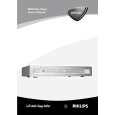
PHILIPS PE1642 Owner's Manual
Hi,
you have complet fullfilled my expectance.
Price is OK.
Robert Schmid
 ;
Came in the mail within a few hours. Gave clear instruktion on maintaines. Is of great use to have this manual in house
;
Easy to access. Clear instructions. No problems. Printed fine.
;
Great scan but please note that it is entirely in GERMAN.
;
High quality scan of the manual, very quick and easy download and very important, a truly honest price. thanks
Troubleshooting
� The JX-S555 incorporates a microcomputer, which may malfunction due to external interference or noise. If this trouble cannot be resolved by checking the items in the following table, reset the microcomputer by turning off the JX-S555, unplugging its power cord from the wall outlet, plugging it in again and then checking the operation.
Symptom Power No power Cause �Is the power cord disconnected from the AC outlet? �Make sure that the DUBBING LOCK function is set to ON. �Is the required video component connected to the corresponding INPUT/ OUTPUT terminals correctly? �Is the monitor TV connected to the MONITOR OUT terminals correctly? The picture appears distorted during playback Recording No picture recorded on the edited tape. �Is the LOOP PROTECT button pressed OFF? Remedy �Insert the power plug firmly into the AC outlet. �Press the POWER button after setting the DUBBING LOCK function OFF. � Check the connections again and reconnect correctly. �Check the connections again and reconnect correctly. �Set the LOOP PROTECT button to ON. Page �
Unit cannot be turned OFF Playback Required picture won�t appear
20
10,14
10,14
11,19
�Are the playback and recording VCRs connected correctly to the INPUT/ OUTPUT terminals? Also, is the correct SOURCE SELECT button selected? � Is the DUBBING LOCK function set? �Is the input select switch on the recording VCR set to the �AUX� position? �Is the video input select switch on the recording VCR with S-VIDEO terminals set to the �S-VIDEO IN� position or �VIDEO input� position?
�Check the connections again and reconnect correctly before s e l e c t i n g the correct SOURCE SELECT button.
12,13
� Press DUBBING LOCK to OFF before 14, 20 pressing a SOURCE SELECT button. �Set the input select switch on the recording VCR to �AUX�. � Set the video input switch on the recording VCR to the correct position. 13
13
� Some video software may contain signals to prevent it from being copied. If you try to copy such a program, the results will not be viewable. Dubbing operations are not possible when using equipment connected to the component terminal. No sound recorded on the edited tape �Conversion is not possible from the component terminal to the S-VIDEO/ VIDEO terminals. � Use the S-VIDEO terminal or connect a recording VCR to the MONITOR OUT 2 terminal.
�
16
� Are the video components etc. connected to the AUDIO input terminals correctly?
� Check the connections again and reconnect correctly.
12
24 -EN
|
|
|
> |
|