|
|
|
Categories
|
|
Information
|
|
Featured Product
|
|
|
 |
|
|
There are currently no product reviews.
 ;
Doubted for buy this manual as it is my first order here and at not have cover image, I assumed would haven't. However, within 24 hs, already possessed the link to download it. The manual are scanned correctly and have all what is needed. Includes adjustments and diagrams of all circuits. Very satisfied.
 ;
Really good quality, аll readable.! Wonderful work shop. I recommend to all!
;
Good quality service manual.The scheme is on A3 format and very readable.Thank you
;
Very good service-manual with clear electrical diagrams. Thanks you.
;
the manual is in quite good quality and it's in pdf. manual was send in less then 6h.
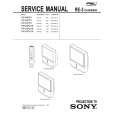
KP- 48PS1/53PS1/61PS1 48PS1K/53PS1K/61PS1K KRM-892
2. Blue Adjustment
1) Place a cap on the red lens so that green and blue colors are displayed. 2) Press �3� button on the commander to select BLU mode. 3) Adjust the following items so that blue lines overlap with green lines. � BLU CENT (horizontally/vertically) Adjust so that the pictures coincide in the center of screen.
Push the joystick to Push the joystick to
� BLU SIZE (horizontally/vertically) Adjust so that each distance from center to left end and to right end is equal. Adjust so that each distance from center to top and to bottom is equal.
Push the joystick to
Push the joystick to Push the joystick to Push the joystick to
Push the joystick to
Push the joystick to
� BLU PIN (vertically) Adjust so that upper and lower horizontal lines on the screen become straight.
� BLU SKEW (horizontally/vertically) Correct the tilt of horizontal lines and vertical lines.
Push the joystick to
Push the joystick to
Push the joystick to
Push the joystick to
� BLU KEY (vertically) Adjust so that upper and lower horizontal lines on the screen become parallel.
Push the joystick to
Push the joystick to
Push the joystick to Push the joystick to
� BLU LIN (horizontally) Adjust so that each space at the right end and at the left end of screen is equal.
4) Press �9� button on the commander to enter the fine adjustment mode. 5) Make fine adjustment so that horizontal lines and vertical lines overlap with green lines. 6) Press �9� button on the commander to return to the rough adjustment mode.
Push the joystick to
Push the joystick to
� 39 �
|
|
|
> |
|