|
There are currently no product reviews.
 ;
manual de usuario perfecto y completo de buena calidad de impresion y muy detallado ideal !
 ;
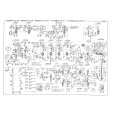
It`s full copy of a service manual from url http://www.philips.owner-manuals.com/PM3216-service-manual-PHILIPS.html
;
perfect! you just sent to me the copy in Italian witout even my specification!!!! so you are really smart cooperative and efficient. To my opinion the best place all over to get a manual of electronics!!!!
;
Well Well Well!!!! Good manual perfect for my hobby!!! As Before you have done a very well done work!!!! Thank you
;
Super nice! Good to have a manual in digital format.
Recording with the manual adjustments
Mode dial: S/A/M
Aperture priority mode
Once the aperture is adjusted manually, the shutter speed will be automatically adjusted to the suitable value to attain correct exposure according to the brightness of the subject. As selecting a narrow aperture, the lens iris opens. Using a narrow aperture, you can record a subject with its background unclear. And using a wide aperture, you can record both the subject and the background stand out clearly.
Shutter speed priority mode
Once the shutter speed is adjusted manually, the aperture will be automatically adjusted to the suitable value to attain correct exposure according to the brightness of the subject. Using the higher shutter speed, you can record a fast-moving subject with its motion frozen. And using the lower shutter speed, you can record the flow motion of a moving subject.
1 2
1 2
1 2 1 2
Set the mode dial to S. Select a shutter speed with the jog dial, then press the jog dial. The shutter speed can be selected from 8'' to 1/800 (MVC-CD200) or 8'' to 1/1000 (MVC-CD300) by 1/3 step.
Set the mode dial to A. Select an aperture value with the jog dial, then press the jog dial. The aperture value can be selected from F2.8 to F11 (MVC-CD200) or from F2 to F8 (MVC-CD300) by 1/3 step.
56
|