|
|
|
Categories
|
|
Information
|
|
Featured Product
|
|
|
 |
|
|
There are currently no product reviews.
 ;
I am very happy with the owner's manual. I bought a used Casio and was so relieved that I was able to get a hold of a owner's manual. It was very easy to download the manual and I had no problems with printing it. Thank you! Nancy Whalen
;
The purchased manual is an high-quality scan of the original JVC paper-based Owner´s Manual. I am very satisfied!
;
Very satisfied with received document, all is right, Thank You very much, it was a Pleasure to work with You.
 ;
great site, the most easy and fastest way to find the manual you need, no 5 star because the manual was only available in german, but I speak german as well so no problem for me.
;
thanks for this download i got a pioneer bdp-lx70a blu-ray player and it had no manual i search everywhere on the internet and came across owner-manuals.com and i found that it was so easy to find and downloaded from this site if i ever need a manual again this would be the first place that i would come too thanks guys
The Radio
Presetting radio stations
You can store radio stations into the player�s memory. You can preset up to 20 radio stations, 10 for each band.
BAND DISPLAY ENTER MEMORY PRESET +, �
1 2 3
Press BAND until the band you want appears in the display. Hold down BAND for about 2 seconds until �AUTO� appears in the display. Press DISPLAY�ENTER MEMORY. The stations are stored in memory from the lower frequencies to the higher ones.
On the player 1 Press BAND to select the band. 2 Set the frequency to the station you want. 3 Hold down DISPLAY�ENTER MEMORY for 2 seconds. 4 Press PRESET+ or � until the preset number (1 to 10) you want for the station flashes in the music calendar. 5 Press DISPLAY� ENTER MEMORY again.
If a station cannot be preset automatically You need to preset a station with a weak signal manually. Also, when you want to replace a preset station with a new one, proceed as follows: Use the remote. 1 Press BAND until the band you want appears in the display. 2 Set the frequency to the station you want. 3 Hold down the number buttons that you want to preset the new station for 2 seconds. The new station replaces the old one.
The Radio 17
TheRadio
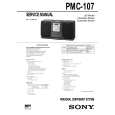 $4.99 PMC107 SONY
Service Manual Complete service manual in digital format (PDF File). Service manuals usually contains circuit diagr…
|
|
|
> |
|