|
|
|
Categories
|
|
Information
|
|
Featured Product
|
|
|
 |
|
|
There are currently no product reviews.
 ;
I did not have the manual for a Whirl Pool gas dryer, therefore I purchased it from Owner-manuals. This is exactly what I needed. Thank you for the service.
 ;
I was so pleased to get the owner`s manuel within one hour! Thanks again.
Regards
Werner
;
Finding the owners manual for my Pioneer CRWM62R is greatly appreciated. I had searched several other web sites with no success. Although my manual was not listed on your site for immediate download, I recevied an email within a few hours that my ower's manual was posted for me. I had no difficulty downloading the manual for my 20 year old multi-cassette player. Owner Manuals provides a service that is valuable, easy-to-use, accurate , efficient, and priced fairly. I thank you.
;
Excellent manual - just what I needed. Although currently available only in German, their are lots of pictures which makes it all very clear.
;
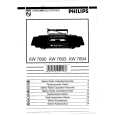
PHILIPS PE1642 Owner's Manual
Hi,
you have complet fullfilled my expectance.
Price is OK.
Robert Schmid
1. Safety Precaution
(This �Safety Precaution� is applied only in U.S.A.)
1. Before servicing, unplug the power cord to prevent an electric shock. 2. When replacing parts, use only manufacturer�s recommended components for safety. 3. Check the condition of the power cord. Replace if wear or damage is evident. 4. After servicing, be sure to restore the lead dress, insulation barriers, insulation papers, shields, etc. 5. Before returning the serviced equipment to the customer, be sure to make the following insulation resistance test to prevent the customer from being exposed to a shock hazard. - Insulation Resistance Test 1. Unplug the power cord and short the two prongs of the plug with a jumper wire. 2. Turn on the power switch. 3. Measure the resistance value with ohmmeter between the jumper AC plug and each exposed metal cabinet part, such as screw heads, antenna, control shafts, handle brackets, etc. Equipment with antenna terminals should read between 3M and 5.2M to all exposed parts*. (Fig 1) Equipment without antenna terminals should read approximately infinity to all exposed parts. (Fig 2) *Note: Some exposed parts may be isolated from the chassis by design. These will read infinity. 4. If the measurement is outside the specified limits, there is a possibility of a shock hazard. The equipment should be repaired and rechecked before it is returned to the customer.
4
|
|
|
> |
|