|
|
|
Categories
|
|
Information
|
|
Featured Product
|
|
|
 |
|
|
There are currently no product reviews.
 ;
I AM HIGHLY IMPRESSED BY THE EASE OF USE OF THIS DOWNLOAD SERVICE. INSTRUCTIONS ARE CLEAR AND SIMPLE TO FOLLOW....EVEN BY TECHNOPHOBES SUCH AS MYSELF. THE EMAILS POINT YOU IN THE RIGHT DIRECTION...ITS SO EASY PEASY. THE DOWNLOAD CHOICE OF USER MANUALS IS EXTENSIVE AND I COULD NOT FIND A CHEAPER OR MORE EFFICIENT SERVICE ON THE INTERNET. I COULD NOT HAVE MADE A BETTER CHOICE OF INFORMATION PROVIDER. SHOULD I EVER NEED ANOTHER USER MANUAL, THEN THIS IS THE FIRST CHOICE SITE. COULD NOT BE BETTER PLEASED!!!!!!!...MANY THANXES FROM JIM BURNS
;
I was impressed with the quality of service (frequent e-mails to let you know the status of your order), and the speed at which the download became available. The manual was a life saver and was not easy to track down. Thank you for such an excellent service.
;
the manual was just what i wanted it had all the revelent information required to operate the hifi .Iwould use any manual i downloaded for any item which needs a manual
;
Die gewünschte Bedienungsanleitung wurde vereinbarungsgemäß in deutsch bereitgestellt. Sie ist gut lesbar. Kein Kauderwelsch.
Danke für den Service.
;
GOOD SERVICE MANUAL GOT ALL THE INFO. THAT I NEEDED..
Symptom Others Timer recording The timer does not operate.
Remedy Check that the clock is set. Make sure a tape has been inserted. Check that the safety tab has not been removed. Make sure the tape is not at its end. Make sure a program has been set for timer recording. Make sure your timer settings are past the current time. Check that the cable box is turned on. The clock stops if the VCR is disconnected from the wall outlet for more than one hour. Reset the clock and timer. � When you use a Cable Mouse, make sure the CABLE BOX CONTROL option is set to ON. � Turn the power off and unplug the AC power cord. � Check that a tape isn�t already in the tape compartment. � Make sure you are pointing the remote commander at the remote sensor on the VCR. � Replace all the batteries in the remote commander with new ones if they are weak. � Make sure the [TV] / [VIDEO] switch is set correctly. � If you are not using S-Link�, make sure that both miniplugs are unconnected. � Make sure the CABLE BOX CONTROL option is set to OFF. � The recording condition of the tape is very poor and tracking cannot be adjusted. � Set your TV�s or AV receiver�s code number. The code number may change when you replace the batteries of the remote commander. � Clean the cabinet, panel and controls with a dry, soft cloth, or a soft cloth slightly moistened with a mild detergent solution. Do not use any type of solvent, such as alcohol or benzine. � � � � � � � �
A tape cannot be inserted. The remote commander does not function.
The channels on the VCR cannot be changed. The tracking meter does not appear on the screen. You cannot control other TVs or AV receivers. The VCR needs to be cleaned.
Symptoms caused by contaminated video heads � Normal picture � Rough picture � Unclear picture � No picture (or black & white screen appears)
initial contamination
terminal
104
Troubleshooting
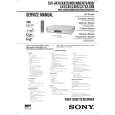 $4.99 SLVN70 SONY
Service Manual Complete service manual in digital format (PDF File). Service manuals usually contains circuit diagr…
|
|
|
> |
|