Shopping cart is empty
 
English Polski Spanish 
Search For a Manual
 

(e.g. AA-V20EG JVC, ZX-7 Sony )
PayPal 1000+ rating Secure, Encrypted Checkout.
 
Categories
Information
Featured Product
Home >> SONY >> STRDB2000 Owner's Manual
 
 0 item(s) in your cart 

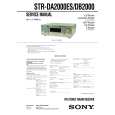
SONY STRDB2000
Owner's Manual


Tweet about this product and get $1.00 of store credit for instant use!
  • Download
  • PDF Format
  • Complete manual
  • Language: English
Price: $4.99

Description of SONY STRDB2000 Owner's Manual

Complete owner's manual in digital format. The manual will be available for download as PDF file after You purchase it.

Owner's Manual ( sometimes referred to as User's Guide or User's Manual ) contains information on how to use Your device. After placing order we'll send You download instructions on Your email address.

The manual is available in languages: English

Not yet ready
You must purchase it first

Customer Reviews
There are currently no product reviews.
Other Reviews
 A-449 PIONEER Owner's Manual by Valerio Frigati;
Perfect. Very good service and very good scanning quality. All sheets are very legible. Thank's
 VP-A30 SAMSUNG Owner's Manual by Johan Lund;
My first manual from Owner-Manuals.com but not the last! I am very satisfied with the easy ordering and promt delivery of a manual I did not find anywhere else.
 PE1644 PHILIPS Owner's Manual by Thijs Werkman;
This manual is very helpfull to use the Power Supply. All technical information has been available. For service use the circuit diagrams are very good. Thanks .
 SATELLIT 2100 GRUNDIG Owner's Manual by Jean-Robert LAROCHE;
Very comprehensive document which is a must-have for any Satellit 2100 owner whose set up is somewhat intricate. Due to the bad quality of the pictures that are rather dark and a bit blurred I gave 4-star feedback.
 SA-GX505 TECHNICS Owner's Manual by David Salars;
The manual was missing 2 pages but when I presented the problem to the company they made every attempt to get the 2 pages to me, when they couldn't they refunded my money. A very pleasing and easy transaction. The manual they provided was the original, it was concise and to the point. I plan to do business with this company again when should the need arise.

Text excerpt from page 46 (click to view)
Using the Sleep Timer
You can set the receiver to turn off automatically at a specified time by using the remote. For details, refer to the operating instructions supplied with the remote.
Press ALT, then press SLEEP repeatedly while the power is on.

Selecting the speaker system
You can select the front speaker system you want to use.
Press SPEAKERS repeatedly to select the front speaker system you want to use.

Each time you select or press SLEEP, the display changes cyclically as follows: 2:00:00 t 1:30:00 t 1:00:00 t 0:30:00 t OFF While using Sleep Timer, �SLEEP� lights up in the display.
Tip

The selected speaker system appears in the display. To turn off the speaker output, press SPEAKERS repeatedly until SP.A and SP.B indication turn off.

The speaker system
� SP.A The speakers connected to the FRONT SPEAKERS A terminals. � SP.B The speakers connected to the FRONT SPEAKERS B terminals. � SP.A SP.B The speakers connected to both the FRONT SPEAKERS A and B terminals (parallel connection).

To check the remaining time before the receiver turns off, press ALT, then press SLEEP on the remote. The remaining time appears in the display.

46GB

You might also want to buy

$4.99

STR-DB2000 SONY
Service Manual

Complete service manual in digital format (PDF File). Service manuals usually contains circuit diagr…
>
Parse Time: 0.312 - Number of Queries: 101 - Query Time: 0.06