|
|
|
Categories
|
|
Information
|
|
Featured Product
|
|
|
 |
|
|
There are currently no product reviews.
 ;
Perfect. Very good service and very good scanning quality. All sheets are very legible. Thank's
;
My first manual from Owner-Manuals.com but not the last! I am very satisfied with the easy ordering and promt delivery of a manual I did not find anywhere else.
 ;
This manual is very helpfull to use the Power Supply. All technical information has been available.
For service use the circuit diagrams are very good.
Thanks .
;
Very comprehensive document which is a must-have for any Satellit 2100 owner whose set up is somewhat intricate. Due to the bad quality of the pictures that are rather dark and a bit blurred I gave 4-star feedback.
;
The manual was missing 2 pages but when I presented the problem to the company they made every attempt to get the 2 pages to me, when they couldn't they refunded my money. A very pleasing and easy transaction. The manual they provided was the original, it was concise and to the point. I plan to do business with this company again when should the need arise.
Tips
� You should adjust the recording level manually with REC LEVEL in the following cases: � The recording level cannot be adjusted properly due to excessive noise in the program source. � The program source level is too low and the recording level does not increase. During a quiet passage in a program source such as classical music, the recording level may not increase for some time. If a high sound level is expected later on in the track, play that portion first so that the right adjustment can be obtained. � The recording level does not decrease for a long time. The Auto Rec Level function may not work properly when you try to record sound produced by a graphic equalizer that has extremely high-level signals. � To prevent changes in the recording level after recording starts, press z REC while playing the highest sound level portion of the program source to be recorded. The result is a more natural-sounding recording. � If you play the entire program source after the AUTO indicator has stopped flashing and is lit continuously, the deck will set the recording level for the portion of the program source with the highest signal level. � After you have finished recording with the Auto Rec Level function, the AUTO indicator remains on and the recording level setting remains the same. To cancel the setting, do one of the following: � Press ARL to turn off the AUTO indicator � Turn REC LEVEL � Turn the deck off.
Fading in and out
� Fader
You can gradually increase the recording level at the beginning of a recording (fade in) or gradually decrease the recording level at the end of a recording (fade out). It is convenient to use this function, for example, when the tape reaches to its end and you don�t want the track to be cut off abruptly.
To Do the following:
Recording on a Tape
Fade in
1 Follow Steps 1 to 4 of �Recording on a tape� on page 10. 2 Start playing the program source and press FADER at the point where you want the fade-in to start. During fade-in, the AUTO indicator flashes. When the fade-in has completed, the AUTO indicator lights up if the Auto Rec Level function is working, or goes off if the Auto Rec Level function is not working.
Fade out
While you�re still recording, press FADER at the point where you want the fade-out to start. When the fade-out has completed, �REC� flashes in the display and the deck pauses.
Note
Fade-in or fade-out is not possible when REC LEVEL is manually set to 0 (minimum) (see page 11).
13
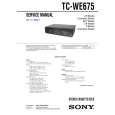 $4.99 TCWE675 SONY
Service Manual Complete service manual in digital format (PDF File). Service manuals usually contains circuit diagr…
|
|
|
> |
|