|
|
|
Categories
|
|
Information
|
|
Featured Product
|
|
|
 |
|
|
There are currently no product reviews.
 ;
The manual was complete and extremely helpful in both diagnosing the problem I was having as well as fixing it. Excellent quality. I will getting additional manuals in the future.
;
Exactly the JVC service manual and schematics that I was looking for - delivered just hours after order. Will do business again!
;
This is a fantastic site, ad I have been a returning satisfied cusumer!
Thanx for a great sevice!
;
Je suis audiophile belge, électronicien et créateur d'enceintes acoustiques.
J'ai apprécié la qualité des documents fournis. Ils sont très lisibles, ils peuvent être agrandis sans problème et ils sont complets. Pour moi, c'est parfait. Pour cette qualité, je suis d'accord de payer. Et le système de paiement et d'envoi est simple. Merci, continuez comme cela.
Frédéric
;
The cover page was a little scary, very dark but readable. The remainder of the document was better copy and easily readable. Why would I give 5 Stars? (1) PRICE, (2) AUTHENTICITY, It was the real deal, filled with service information, including the specific information I required. (3) PRIVACY, I didn't start to get slammed with spam. (4) EASY TRANSACTION. Painless. (5) COMPLETE, I have found several manuals here, that I could find nowhere else. (6) I will be a repeat customer!
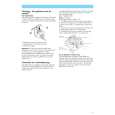
5-2. Replacing the CPU
Note: We have two kinds of CPU for this set, and either of them is used. Two kinds of CPU have differences in the lock position and the unlock position.
1. Socket con�guration 1
1. How to remove the CPU 1 Rotate the lock with a flat-blade screwdriver toward the unlock position shown in the figure. 2 Remove up the CPU. 1 (FOX)
2. Socket con�guration 2
1. How to remove the CPU 1 Rotate the lock with a flat-blade screwdriver toward the unlock position shown in the figure. 2 Remove up the CPU. 1 (AMP)
CPU lock position 2
CPU lock position 2
unlock position
CPU socket
unlock position
CPU socket
2. How to install the CPU 1 Position the mark on the CPU to the mark on the CPU socket and put in all pins to the holes on the CPU socket. 2 Pressing two corners marked with in the figure, rotate the lock with a flat-blade screwdriver toward the lock position. 2 (FOX) mark CPU unlock position mark 1
2. How to install the CPU 1 Position the mark on the CPU to the mark on the CPU socket and put in all pins to the holes on the CPU socket. 2 Pressing two corners marked with in the figure, rotate the lock with a flat-blade screwdriver toward the lock position. 2 (AMP) mark CPU unlock position mark 1
lock position
CPU socket
lock position
CPU socket
Note: Lock the CPU properly, or operation becomes unstable.
Note: Lock the CPU properly, or operation becomes unstable.
Sony Confidential
5-2 (END)
VGN-FJ10B/FJ90PS/FJ90S (J) VGN-FJ150/FJ150F/FJ170/FJ170P/FJ170Q/FJ180P (AM) VGN-FJ1S/FJ1SR/FJ1Z (EU) VGN-FJ55L/FJ56C/FJ56G/FJ57C/FJ57GP/FJ57LP/FJ57SP/FJ57TP/FJ58C/FJ58GP/FJ58SP (AO)
|
|
|
> |
|