|
There are currently no product reviews.
 ;
Thank´s for your help, I already recived these manual from you
;
Thank you for your manual It has the basic things to and i use the Oszi for Longer Time.
THX
;
Actually, I was looking for this information for 3 years!...now thanks to you, the manual is on my hands and of great help, cause I understand now where I was doing wrong connections and wires...excellent, I'll be back to you if in need, thank you.
 ;
This manual covers the main equipment features only. While it also includes the procedure for saving and loading from the now long obsolete memory cards it does not mention the how to operate with the optional floppy drive interface so I am still at a loss about how to use this! Note that there is a separate manual covering the MIDI interface and programming via the keyboard, not included in this download. You will also need to get hold of this if you want to use the MIDI interface properly. Basically there is little difference between this manual and the free to download manual for the similar PR60 model.
;
Good list of manuals. I found a very rare one and easily get. Should be promptly to download, as we must to wait hours even after confirmed payment.
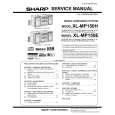
XL-MP150H
Timer- und Sleep-Funktion (Fortsetzung)
4
Innerhalb von 10 Sekunden die Taste oder drücken, um "ONCE SET" oder "DAILY SET" anzuwählen; danach die MEMORY/SET(MEMORY)-Taste betätigen.
DEUTSCH
9
5
Die Taste oder drücken, um "PLAY" oder "REC" anzuwählen; danach die MEMORY/SET(MEMORY)Taste betätigen. Wei� Rot
Den Eingang mit der - oder -Taste umschalten, und dann die MEMORY/SET(MEMORY)-Taste drücken. Auswählen der Tonquelle zur Timer-Wiedergabe: CD, TUNER oder TAPE. Auswählen der Tonquelle zur Timer-Aufnahme: TUNER. Wenn Sie den Tuner wählen, einen Sender mit Hilfe der Taste oder auswählen, und dann die MEMORY/ SET-Taste drücken. Wenn kein Sender programmiert worden ist, wird "NO PRESET" angezeigt, und die Timer-Einstellung wird annulliert. MEMORY/SET(MEMORY)-Taste drücken. Die Lautstärke nicht zu laut stellen.
10Die Lautstärke mit der VOLUME-Regler einstellen, dann die 11Zum
Schalten in die Bereitschafts-Betriebsart die ON/ STAND-BY-Taste drücken.
Die Abbildungen zeigen die Daily-Timer-Einstellung.
Fortgeschrittene Funktionen
6
Die
- oder
-Taste drücken, um die Stunde ein-
zustellen, und dann die MEMORY/SET(MEMORY)-Taste betätigen.
Die "TIMER"-Anzeige leuchtet auf, und das Gerät ist bereit zur Timer-Wiedergabe oder Timer-Aufnahme.
Die Abbildungen zeigen die Timer-Wiedergabe-Einstellung in der Daily-Timer-Betriebsart.
7
Die - oder -Taste drücken, um die Minuten einzustellen, und dann die MEMORY/SET(MEMORY)-Taste betätigen.
/
ASPM
8
D-41
Nach den Schritten 6 und 7 die Endzeit einstellen.
|