|
|
|
Categories
|
|
Information
|
|
Featured Product
|
|
|
 |
|
|
There are currently no product reviews.
 ;
Thank´s for your help, I already recived these manual from you
;
Thank you for your manual It has the basic things to and i use the Oszi for Longer Time.
THX
;
Actually, I was looking for this information for 3 years!...now thanks to you, the manual is on my hands and of great help, cause I understand now where I was doing wrong connections and wires...excellent, I'll be back to you if in need, thank you.
 ;
This manual covers the main equipment features only. While it also includes the procedure for saving and loading from the now long obsolete memory cards it does not mention the how to operate with the optional floppy drive interface so I am still at a loss about how to use this! Note that there is a separate manual covering the MIDI interface and programming via the keyboard, not included in this download. You will also need to get hold of this if you want to use the MIDI interface properly. Basically there is little difference between this manual and the free to download manual for the similar PR60 model.
;
Good list of manuals. I found a very rare one and easily get. Should be promptly to download, as we must to wait hours even after confirmed payment.
e00_zq800(introduction)60.book Page 116 Wednesday, April 24, 2002 8:45 PM
116 Appendix
2. Release
. and press (or tap �OK�).
3. Highlight �OK� by pressing
Battery replacement
General guidelines
The unit uses the following type of batteries: Type Alkaline batteries Size / Model Size �AAA�/LR03 Qty. 2
There are some important points to remember when installing new batteries: � Replace both batteries at the same time. Use new batteries of the same type. � The data stored in RAM memory, such as e-mail messages, will be lost when the batteries are replaced or the batteries are extremely low. Caution: � If fluid from a leaking battery accidentally gets into your eyes, it may result in serious injury. Should this occur, flush your eyes with clean water and consult a physician immediately. � Should fluid from a leaking battery come into contact with your skin or clothes, immediately wash with clean water. � If the unit will not be used for an extended period of time, to avoid damaging the unit, remove batteries and store in a safe place. � Do not leave exhausted batteries inside the unit. � Do not mix different types of batteries or partially used batteries. � Keep batteries out of the reach of children. � Do not dispose of batteries by fire as they may explode.
Replacing the batteries
If the battery level becomes low when you are using the unit, a warning message and the battery indicator appears on the unit�s display. You should replace batteries immediately.
1. Turn off the unit.
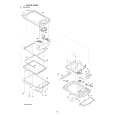 $4.99 ZQ-800 SHARP
Parts Catalog Parts Catalog only. It's available in PDF format. Useful, if Your equipment is broken and You need t…  $4.99 ZQ-800 SHARP
Service Manual Complete service manual in digital format (PDF File). Service manuals usually contains circuit diagr…
|
|
|
> |
|




 Home
Home